Storms and Severe Weather
This page contains:
How to prepare for a severe weather event
What to do during a severe weather event
What to do after a severe weather event
Electronic Communications Networks and Services (ECN and ECS) are essential to Ireland’s economy and daily life. They help us to stay in touch, use social media, stream online content and run businesses. We depend on these services as they are an integral part of both our home and work lives.
Storms, and severe weather events, can significantly impact telecommunications services in Ireland, leading to outages and disruptions.
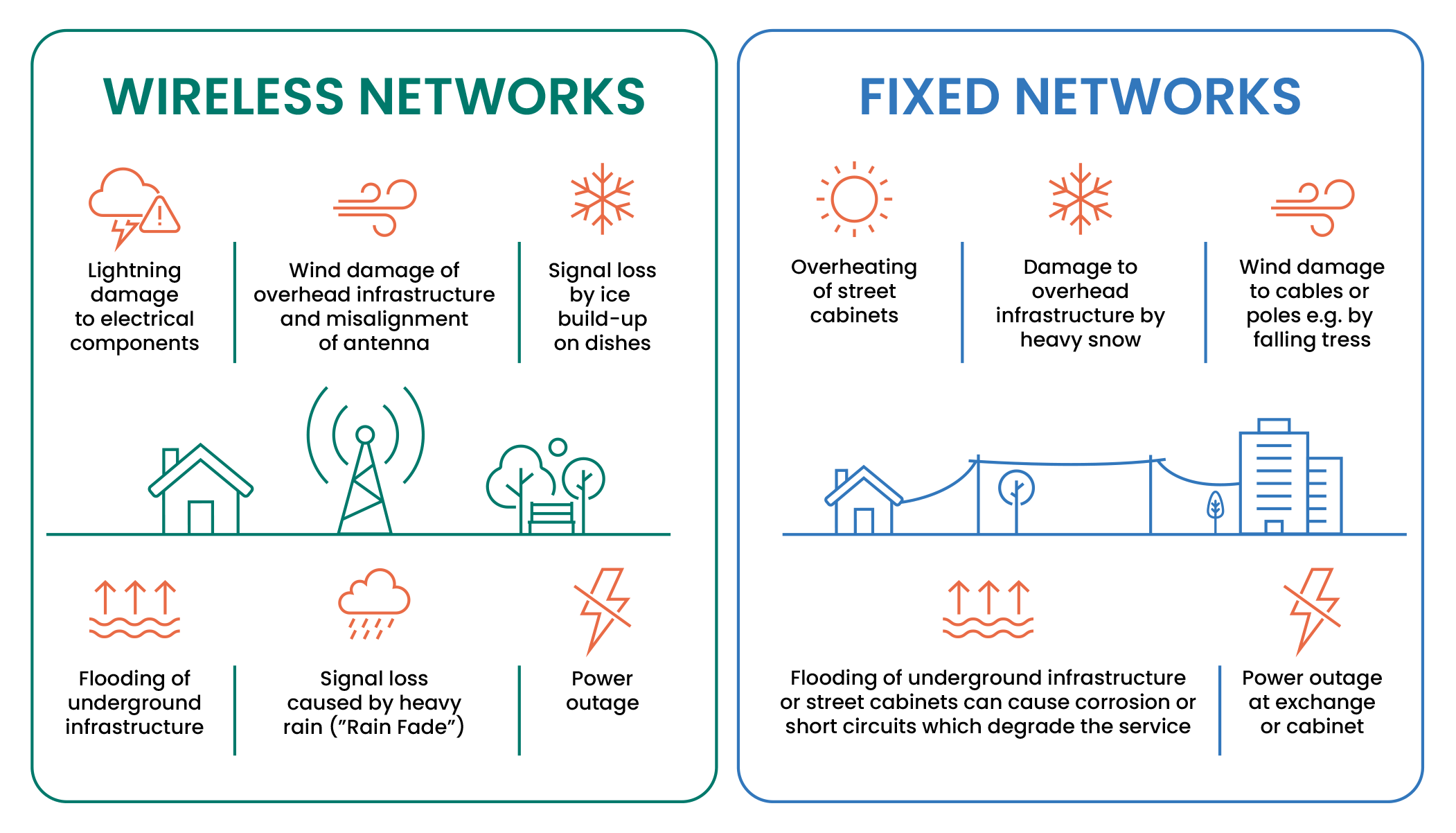
The wireless and fixed networks can be affected by bad weather in various ways:
- Some cables are underground and can be damaged by flooding.
- Copper and fibre lines that are suspended on timber or metal poles can be knocked down by strong winds, falling trees or heavy snow.
- Some equipment is on high ground, where it’s exposed to harsh weather like wind, rain and freezing temperatures.
- Street cabinets house active electronic elements for phone and broadband networks and can be affected by heat and flooding.
- Electricity power outages can affect the networks.
Experts agree that climate change will cause extreme weather events more often, and this is likely to affect Ireland’s weather in the years ahead. The importance of resilient communications networks will only increase further as we rely more and more on this technology.
How to prepare for a severe weather event
There are things we can all do to prepare for severe weather. Our communication devices can help us stay safe, stay informed and let us get help when needed.
Get your devices ready:
Make sure your mobile device, tablet, laptop and any battery powered devices are plugged in to the mains and charged in advance.
Keep your devices up to date. Devices that can connect to more than one network type (such as 2G, 3G, 4G and 5G) are likely to regain service more quickly after a disruption. They allow for greater flexibility, using whatever mobile technology is available in the affected area.
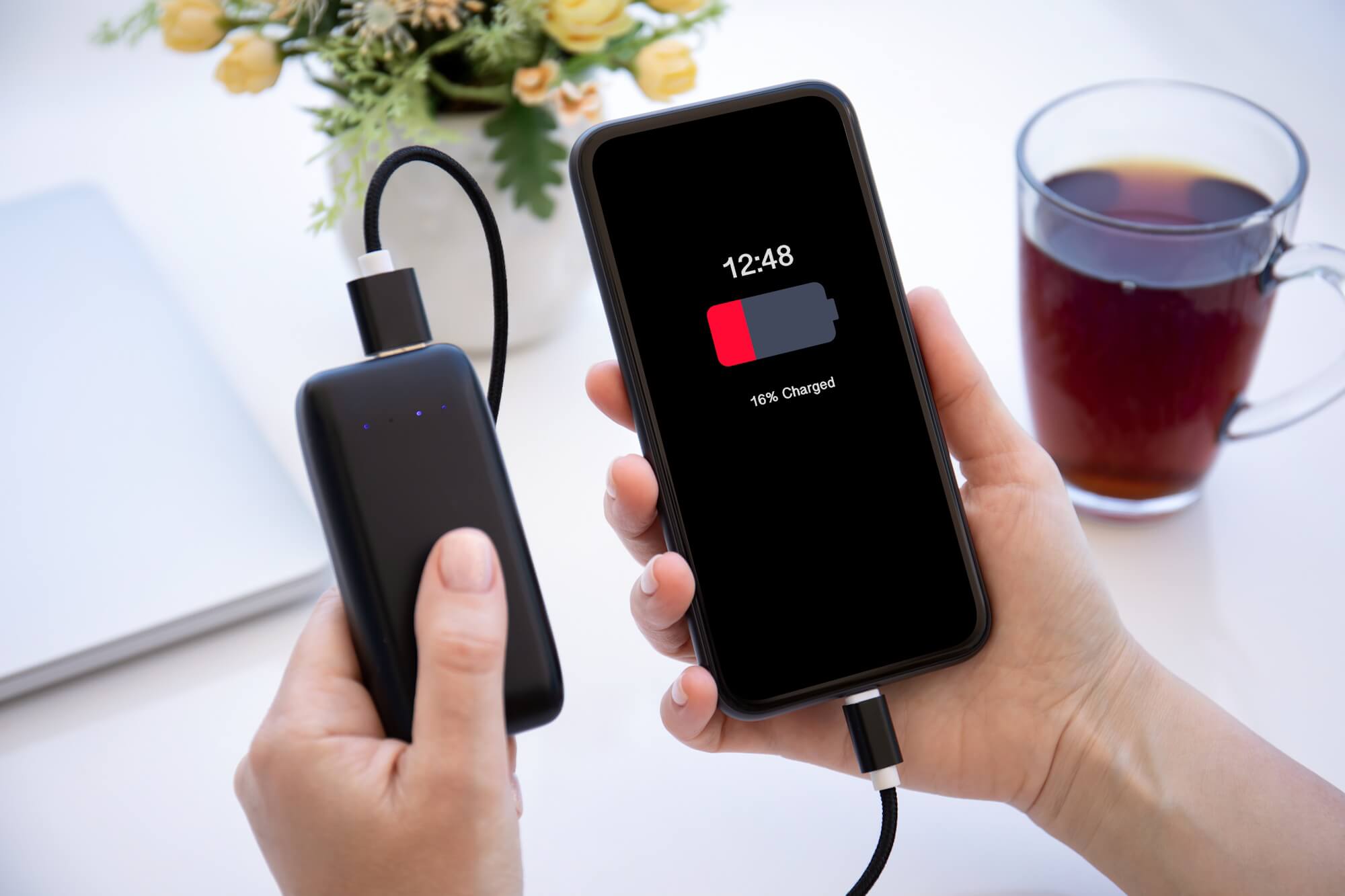
Use a mobile power bank:
Keep it fully charged so you can use it to charge your mobile if there’s a power cut. Consider a solar mobile power bank as an off-grid power source.
Top-up your prepay mobile:
If you use a pay-as-you-go phone, make sure you have enough credit to stay in touch.
- You can top-up your own credit – or someone else’s – remotely if needed.
- Even with no credit, you can still call emergency services, from any network (112 or 999).
Use a battery back-up solution
A backup battery solution can ensure some home devices remain temporarily powered during a power outage to your home.
If the broadband network itself has not lost power, a battery back-up can enable you to temporarily power your router and modem to remain connected to the internet.
If you have a VoIP (Voice over Internet Protocol) landline, this is a technology that allows you to make calls over an internet connection, the battery back-up may also help you to make and receive calls. These VoIP landlines can be identified by the fact that they plug into your modem/router rather than directly into a wall socket.
There are currently battery backup devices available on the market that you can purchase, or your service provider can advise you.
Set up solar panels to provide power during an outage
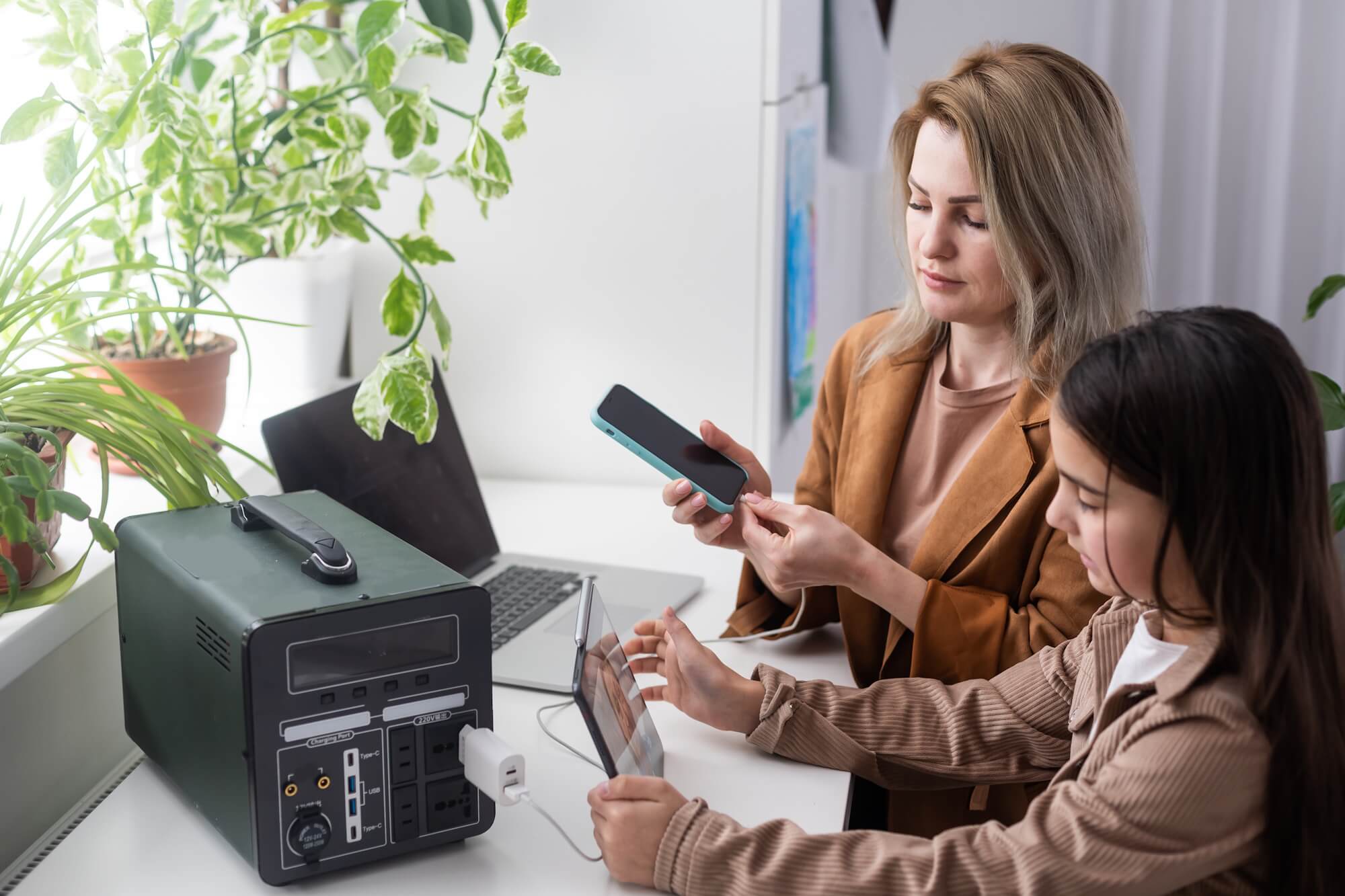
Many homes with solar panels and a battery installed will likely still find themselves without power if there is a power cut. A changeover switch can be installed by a certified electrician, that allows the system to automatically disconnect from the main grid and run your home on solar and battery power alone during a power outage.
This can keep essential devices like your phone, Wi-Fi and radio powered during a storm or power cut. While the grid may be down, solar and/or stored-battery energy can keep your communication devices running, until power is restored.
Set up emergency contacts and Medical ID on your mobile phone
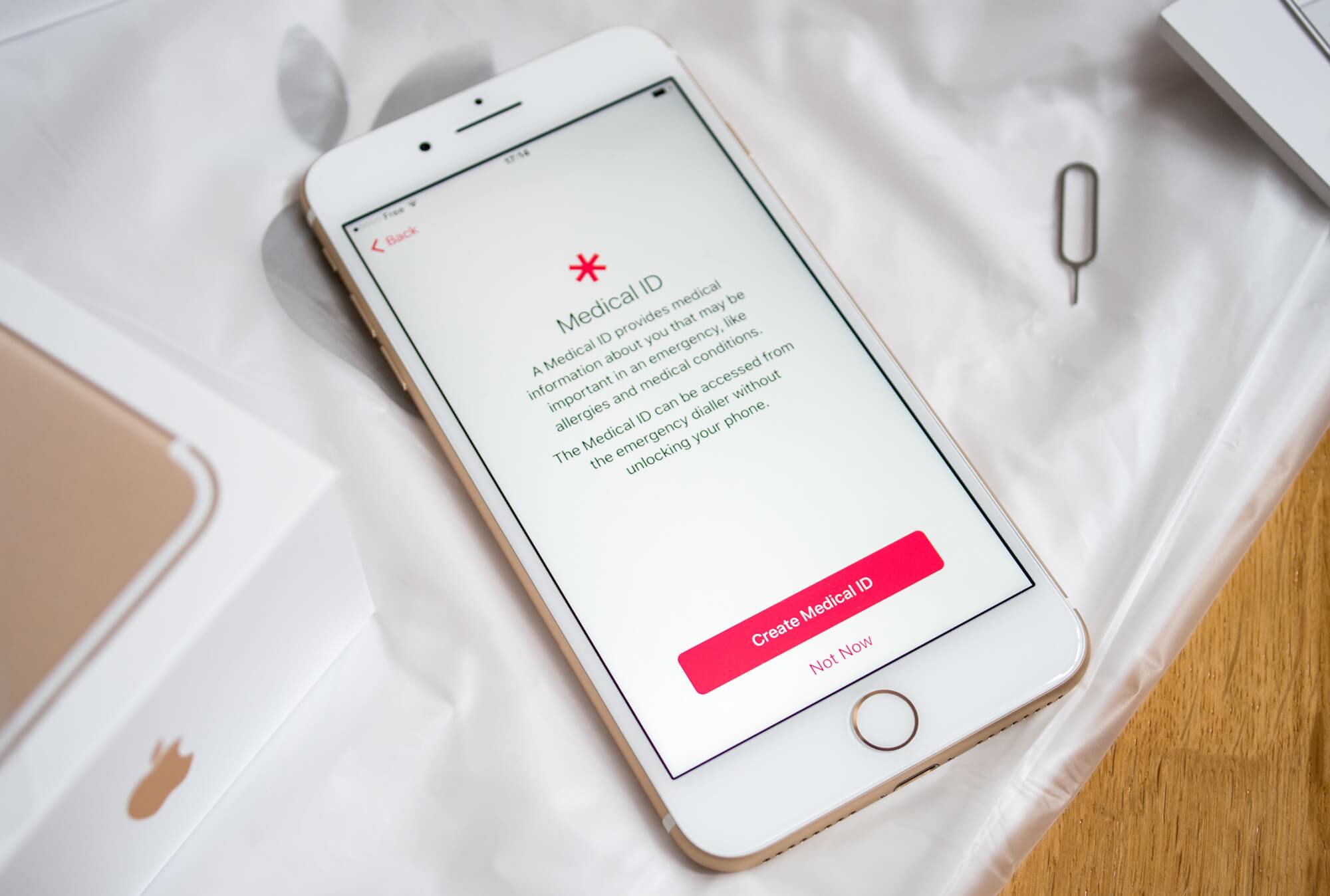
Add an ICE (In Case of Emergency) contact and create a Medical ID on your smartphone, where available. Or download an app that allows you to set one up.
Your Medical ID includes your personal details, medical information and emergency contacts and allows this information to be seen from the lock screen. This helps emergency responders contact someone close to you and understand your health needs.
For more information, visit 112.ie – the official site on when and how to call emergency services in Ireland and the EU.
If you’re deaf, have a hearing impairment or speech disorder, you can use the Emergency Text Service or use Real Time Text (RTT) to call the emergency services.
Write down important contacts
Phones can lose power or get lost or damaged. Keep a written copy of your key contact numbers like family, carers, and neighbours. Include the number of your service provider’s customer service.
Use a battery-powered or crank radio
An AM/FM radio helps you stay informed with weather warnings, updates and public safety advice even if the mobile networks go down. Consider keeping some spare batteries for this radio and any battery powered lights or torches you have.
Register vulnerable user needs with your provider
- Service providers have a register of customers with disabilities and those with additional needs so they can better support them.
- If you are an older customer with additional needs, some providers may have support services through a dedicated contact channel.
What to do during a severe weather event
When severe weather hits, staying safe and connected becomes even more important. Follow these tips to protect your devices, conserve power and stay in touch.
Use networks wisely
- If your mobile network is down or there is a weak signal
- Wi-Fi calling lets you make and receive calls and texts over a Wi-Fi network instead of your mobile network. Check your phone’s settings to enable Wi-Fi calling if your provider supports it.
- Use apps like WhatsApp, Messenger or FaceTime. These apps can enable you to make calls using your home broadband.
- If your home broadband is down or slow
- Create a mobile hotspot: You can use your mobile phone to share its mobile internet connection with other devices. Using your existing mobile data plan, your phone works like your home broadband router, allowing you to connect to laptops, tablets and some smart home devices. But be aware it can drain your mobile battery.
Protect your electronic devices
We recommend using a surge protector for sensitive equipment like routers, modems and landline phones to reduce the risk of damage from power surges caused by lightning strikes. This advice can also apply to other sensitive electronics such as computers, games consoles and TVs.
Save your mobile phone battery
Keep phone use to a minimum to make your battery last as long as possible.
- Low power mode, low data mode, battery saver mode and airplane mode all help conserve battery power in different ways.
- Turn off bluetooth and Wi-Fi if you’re not using them
- Lower your screen brightness
- Switch-off automatic app updates and non-essential app notifications
- Closing any apps you’re not using may also help.
Use your vehicle as a power source
- Many modern cars have USB ports or power outlets where you can charge devices.
- Older cars may have a cigarette lighter socket and a suitable USB adaptor can be used with these.
But, be mindful of your car battery use or keep the engine running to prevent a drain on the battery.
How to contact the emergency services
- If your mobile network is down, your phone will be able to connect to any available network to make an emergency call.
- Some newer phones let you contact the emergency services using a text-based service via satellite when no mobile network is available.
- If you see “Emergency Calls Only” on your screen, you can still dial 112 or 999.
What to do after a severe weather event
Check with your Service Provider for service restoration updates.
Report any ongoing problems with your service
- It’s important to report any faults to your service provider.
- Be sure to tell them of your specific needs or reliance that you have on your service, if you have a disability or are vulnerable in any way.
- If an outage continues for an extended time, contact your service provider to discuss alternative arrangements. For example, they may be able to provide you with a temporary service like mobile broadband.
- Our Consumer Care team may be able to help if you have an urgent issue that has not been resolved by your service provider.
Request a refund or credit for loss of service
- Service providers may issue a refund or a bill credit for time without service.
- We advise consumers to contact their service provider regarding payment of bills where there has been an outage.
- Check your contract’s terms and conditions for any information about loss of service.
Are your phone and broadband weather ready?
This short video highlights some of the practical steps you can take to prepare your phone and broadband for severe weather events.
For more information related to storms and severe weather, see:
Office of Emergency Planning
Met Eireann’s Weather Warning Alerts Service
ESB Networks PowerCheck Service Interruptions Map